
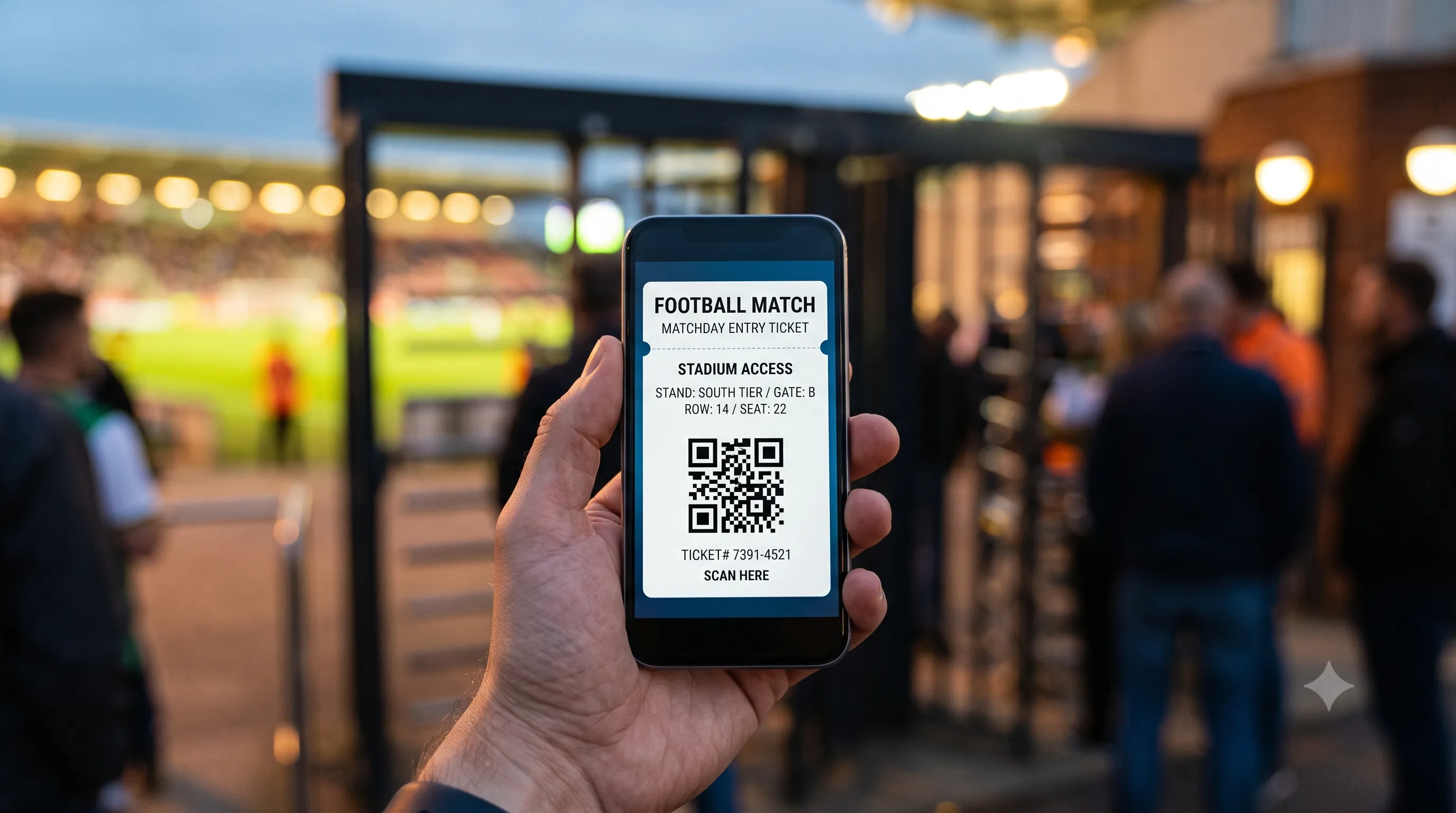
Mobile Football Tickets: How They Work and How to Use Them
If you are travelling to Europe to watch a match, your ticket will most likely never be printed. Mobile tickets are now the standard way into most football stadiums, and if you are used to a paper stub, the system can feel unfamiliar. This guide explains how mobile football tickets work, how you receive and store them, how to walk through the turnstile on matchday and what to prepare in advance.
How do mobile football tickets work?
A mobile football ticket is a digital ticket that you receive on your phone and show at the stadium entrance, usually as a QR code. Nothing needs to be printed. The ticket lives inside an email, in your phone wallet or in the club app. When you arrive, you hold your screen up to the reader on the turnstile, the code is scanned and the gate unlocks. It works on the same principle as a digital boarding pass at the airport.
In practice, an e-ticket football entry holds three things: the match details, meaning the teams, date and section, your seat with row and number, and the unique QR code that grants access. That code is the key. It is personal, it is generated once and it is what the reader checks the moment you enter.
What a mobile ticket is and why clubs are switching to it
The move to digital is not just about convenience, it brings real benefits for supporters and clubs alike.
For the fan, a ticket that sits on your phone is harder to lose, arrives instantly after purchase and is always to hand. There is no risk of leaving it at home or damaging it in your pocket.
For clubs, digital tickets stadium wide reduce counterfeiting, speed up entry checks and make it easier to manage capacity and safety. A unique QR code, valid only once, is far more reliable than a printed stub that can be photocopied. These reasons, security and access control above all, are why more European clubs are leaving paper behind and adopting mobile tickets as the main format.
How you receive and store your ticket
After you buy, your football tickets on phone usually reach you in one of three ways.
The first is email. You get a message with the ticket in digital form, often a file to open or a button to add the ticket to your phone wallet.
The second is the mobile wallet, meaning the wallet app already built into your smartphone. Here the ticket is saved with its QR code, date and section, ready to show even without a connection.
The third is the official club app. Some clubs release tickets only through their own application, inside a section dedicated to the user's tickets.
The practical advice is simple. As soon as you receive the ticket, save it to your phone wallet or the app the club specifies, well before matchday. Check that the team, date, section, row and seat all appear correctly. If something looks wrong, you will have time to contact customer support before the game.
One important point for visitors: which channel is official, email, wallet or a dedicated app, depends on the club. Some clubs require their own app to enter.
How to enter the stadium
Entry works by scanning the QR code at the turnstile, and at some venues by NFC, meaning you tap your phone against the reader. Here is what to do at the gate.
Before you reach the entrance, open the ticket on your phone so the code is ready and you do not hold up the queue. Find the correct gate. The section shown on your ticket tells you which entrance to use, because stadiums have different access points for each stand.
At the turnstile, turn your screen brightness up and hold the QR code near the reader, usually a lit panel or a small camera on the turnstile itself. Wait for the green signal or for the barrier to unlock, then walk through. If you are with other people, each person shows their own code, one at a time.
Remember that each code is valid for a single entry. Once scanned, the turnstile records it and it cannot be reused to let someone else in on the same ticket.
The exact procedure, the position of the readers and whether you also need to show ID can vary from country to country and club to club.
Do mobile tickets differ across leagues?
Broadly, the idea is the same everywhere, a digital ticket with a QR code that you scan at the gate. The details differ by league and country. In the Premier League, many clubs use their own app and NFC ticketing, so you often tap rather than scan. In La Liga, Serie A and the Bundesliga, mobile tickets are widespread, but the delivery method, wallet, email or club app, and the rules around transferring a ticket to a friend, are set club by club. A ticket may also be tied to your name in one country and not in another. Treat the general steps in this guide as a starting point, and always confirm the specifics for the match you attend.
Common problems and how to avoid them
Most mobile ticket mishaps come from small oversights, all easy to prevent. These are the most common ones.
Flat battery. If your phone dies, the ticket becomes inaccessible. Leave with a full charge and, if you can, carry a power bank, especially for evening kickoffs or long away trips.
Dim screen. Readers struggle to scan a QR code on a dark display. Just before the turnstile, turn the brightness to maximum, even for a few seconds.
Screenshots that are not accepted. A photo or screenshot of the code is not always reliable. Some tickets refresh the code dynamically, so a static screenshot can be rejected. Always use the official ticket in your wallet or app. Whether screenshots are accepted depends on the club.
No signal in the stadium. Around the ground, with thousands of people connected at once, the network can slow down or drop. If your ticket sits inside an app that needs a connection to load, open it and check it before you arrive, while you still have a stable signal. Tickets saved in your phone wallet, by contrast, can usually be viewed offline.
One last good habit, keep your phone updated with enough free storage, so the club app runs smoothly at the crucial moment.
Buying mobile tickets online safely as a visitor
Buying from your phone is convenient, but safety depends on where you buy. As an international fan or tourist, keep a few points in mind.
You do not need to be a club member or season ticket holder to attend as a general sale buyer, so be wary of anyone who insists otherwise. Always buy from trustworthy, transparent channels where the price, the section and the delivery terms are clear from the start. Avoid suspiciously cheap offers from unknown private sellers on social media, where the risk of fake or already used codes is real.
TicketGol is a marketplace dedicated to football tickets, with digital delivery and clear information on section and availability. If you are planning your trip, you can browse Premier League tickets and pick your match in a few steps. When you are ready, you can buy tickets directly on TicketGol.
Frequently asked questions about mobile football tickets
Do I need to print my mobile ticket?
No. A mobile ticket is designed to be shown from your phone. Printing is usually not needed, since the whole point of the format is to avoid paper. A few clubs may allow exceptions.
Can I use a screenshot of the QR code?
It is not advisable. Some tickets use dynamic codes that refresh, and a static screenshot may not scan at the turnstile. Always use the official ticket in your wallet or app. Screenshot acceptance varies by club.
What happens if my phone dies before I get in?
Without a working phone you cannot show the code, so you will not be able to enter. Arrive with a full charge and, if you can, carry a power bank. If a problem comes up, speak to stadium staff or the venue's help point.
Does a mobile ticket work without an internet connection?
It depends on where it is stored. Tickets added to your phone wallet can usually be viewed offline, while tickets inside an app that needs to load them may require a connection. Open and check your ticket before you reach the stadium.
Do I need to be a club member to buy a ticket?
No. General sale buyers, including tourists, can buy tickets for individual matches without membership. Availability depends on the club and the match.
Can I transfer my mobile ticket to a friend?
It depends on the club's rules and local regulations. Some clubs allow name changes or transfers through their own platform, others do not.
Before every match, the advice is the same. Confirm the official channel, save the ticket to your phone in advance and check the entry rules for your specific stadium. When you know which game you want to see, you can find your seat and buy tickets on TicketGol.
Related Insights
View all
Champions League 2026/27 schedule: full fixture dates and matchdays
The Champions League 2026/27 schedule is confirmed. Here are all eight matchday dates, when the Premier League clubs play and the key dates on the road to the final on 5 June 2027 at the Estadio Metropolitano in Madrid.

How to Choose the Best Seats at a Football Stadium: A Complete Guide
Home end, side stand, lower or upper tier? A practical guide to choosing the best seats at a football stadium for your budget, view and atmosphere.

How to buy Champions League tickets: the complete 2026/27 guide
Everything you need to know about Champions League tickets for 2026/27: how to buy safely, the key dates, what drives the price and practical tips for attending a match anywhere in Europe.